Check-In System for Churches: Streamline Sign-Ins and Improve Safety
Across congregations of all sizes, the first moments of a gathering matter. A thoughtfully designed check-in workflow can set a welcoming tone, while also safeguarding children, volunteers, and attendees. A modern check-in system for churches—sometimes described as a visitor management solution or sign-in system for congregations—offers a structured way to register attendees, distribute name badges, and log attendance. It can replace paper sign-up sheets and manual methods with a streamlined, digital process that scales from small groups to large campuses. This article explores what such a system is, why it matters, and how to choose, implement, and optimize a church check-in solution that balances ease of use, security, and privacy.
What is a church check-in system?
A check-in system for churches is a software- or hardware-supported workflow that records when people arrive, captures essential information, and often distributes a token or badge for identification. These systems can be deployed as:
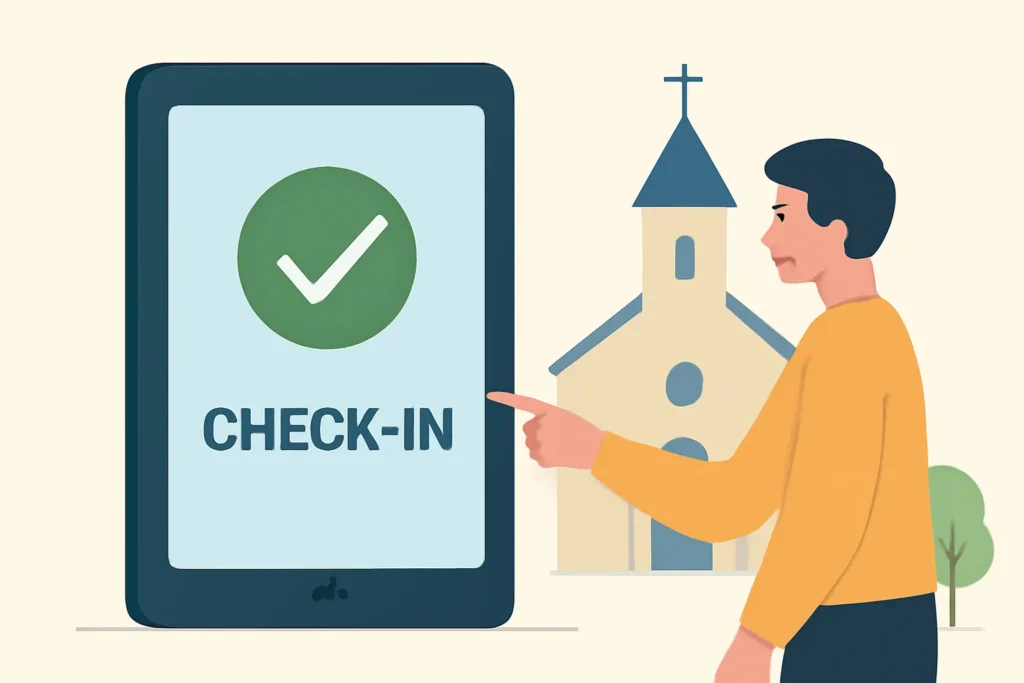
Kiosk-based check-in stations located at entrances or welcome desks that allow self-check-in using a touch display, barcode, or QR code.
Mobile check-in apps for smartphones or tablets carried by staff, volunteers, or attendees who prefer using a personal device.
Web-based check-in portals that can be accessed from any device with an internet connection.
Hybrid systems that combine kiosks, mobile apps, and web interfaces to ensure redundancy and flexibility.
Beyond simple sign-in, a robust church check-in system provides features such as visitor management, child protection controls, real-time reporting, and privacy safeguards. The goal is to create a process that is fast, intuitive, and secure, while producing data that helps staff plan services, safety drills, and outreach activities.
Core features and capabilities of a church check-in solution
1) Visitor and attendee management
At the heart of the system is a visitor management module that records basic information about people who come on a given weekend or event. Features include:
Capture of name, contact details, household information, and any special needs or accessibility requirements.
Grouping by family or household to track attendance and contact people efficiently.
Searchable directory and recent sign-ins to quickly recognize returning attendees.
Custom fields to tailor the data to the church’s programming (e.g., class size, ministry area).
2) Child check-in and safety controls
Child safety is often a primary concern for churches. A child check-in and safety module typically includes:
Secure, staff-only access for signing children in and out.
Two-guardian pickup rules and matching pickup codes to prevent unauthorized release.
Real-time alerts for late pickups or mismatched drop-off/pick-up tokens.
Age-appropriate routing to classrooms or activity spaces, with last-location tracking.
These capabilities help ensure compliance with safeguarding policies while simplifying parent and administrator workflows.
Regardless of deployment type, a well-executed privacy-first approach is essential. Key actions include:
Clarifying what data is collected and why it is needed.
Obtaining informed consent where appropriate and providing opt-out options.
Implementing retention policies that define how long data is kept and when it is purged.
Providing transparent access for attendees to review or update their information.
Privacy, security, and compliance considerations for church check-in systems
One of the most important dimensions of any check-in system for churches is how it handles personal data. Here are essential considerations:
Data minimization: Collect only what is necessary to support safety, administration, and ministry activities.
Access control: Use role-based permissions to limit who can view or modify sensitive information, such as children's records.
Auditing: Maintain detailed access logs to detect unusual activity and demonstrate accountability.
Data retention: Define how long records are kept and implement automatic deletion when appropriate.
Security standards: Prefer providers that meet recognized security standards, such as encryption at rest and in transit, routine security testing, and commitment to data protection.
Designing an effective church check-in workflow
An intentional workflow reduces friction and minimizes mistakes. Here’s a framework to design an effective process for a typical Sunday service, with extensions for midweek events or special programs.
Define goals: Safety, efficiency, welcoming experience, and data that supports ministry planning.
Map the current process: Identify every touchpoint from arrival to seating, pickup, and post-service outreach.
Choose the right tools: Select hardware and software that fit your campus size, budget, and culture.
Design the data model: Decide which data fields are essential, how they relate to households, and how to protect privacy.
Customize the sign-in flow: Create pages and prompts that match your church’s language and values.
Pilot and iterate: Run a trial with a small group, gather feedback, and refine the workflow.
Roll out and train: Provide clear onboarding for volunteers and staff, with quick-reference guides and support.
Measure and improve: Use dashboards to monitor wait times, new visitor conversion, and safety alerts, then adjust as needed.
Suggested workflow steps for a typical service
Attendee approaches the welcome desk or kiosk.
Guest or member enters required information or selects existing household.
System assigns or prints a badge or confirmation code.
Volunteer checks in the child or youth participant, if applicable, with appropriate guardian verification.
Security and safety checks verify pickup permissions and emergency contact details.
Attendance data is synchronized with the church management system for the day’s programming.
At the end of service, attendees check out or the system automatically logs exit times if supported.
Best practices for adoption and user experience
To achieve a smooth rollout and high adoption rates among volunteers and attendees, keep the following best practices in mind:
Keep it simple: Use concise labels, minimal fields, and clear instructions. Avoid overwhelming first-time users.
Provide clear signage: Place visible signage near entrances, highlighting the check-in option and the expected flow.
Offer a walking tour or demo: For staff and volunteers, provide a brief, hands-on demonstration, followed by practice sessions.
Phased rollout: Start with a single campus or service and expand gradually to avoid operational shocks.
Respect privacy: Be transparent about data use and provide options to opt out of non-essential data collection.
Plan for accessibility: Ensure interfaces support different languages, readability, and disabled-accessibility features.
Case studies and real-world examples
Many churches have successfully implemented digital check-in systems to improve safety and engagement. Here are illustrative, non-identifying examples of common outcomes:
A mid-sized church reports a 30-40% reduction in check-in time during peak service windows after deploying kiosks and a mobile sign-in option.
A multi-campus congregation centralizes attendance data through an integrated system, enabling cross-campus event planning and unified volunteer scheduling.
A church with a strong emphasis on safeguarding uses two-factor verification for child sign-in and automated alerts to guardians during emergencies.
Volunteer coordinators appreciate real-time dashboards showing who is serving where, enabling proactive coverage and a better user experience for attendees.
Choosing the right check-in solution for your church
There is no one-size-fits-all answer. When evaluating options, consider:
Church size and campus layout: A small church may start with a mobile or web-based solution, while larger campuses can benefit from kiosks and multi-site management.
Budget and total cost of ownership: Compare upfront hardware costs, subscription fees, maintenance, and support.
Security posture: Ensure the provider supports encryption, access control, and audit trails aligned with your safeguarding policies.
Integrations: Look for compatibility with your church management software (ChMS), event calendars, donation systems, and communications tools.
User experience: Prioritize intuitive interfaces for visitors and clear dashboards for staff.
Support and service levels: Consider availability of onboarding, migration assistance, and ongoing customer support.
How to integrate a new check-in system with church operations
Integration is more than data compatibility; it’s about workflow alignment, training, and culture. Consider these steps:
Map your current processes for sign-in, volunteer check-in, and child drop-off/pickup to identify integration points.
Define data governance policies that cover who can access records and how data will be used.
Design role-based access for volunteers, staff, and ministry leaders to ensure appropriate permissions.
Plan data migration if moving from a legacy system or paper records to the new platform.
Develop a communications plan to inform attendees about the change, privacy commitments, and benefits.
Provide comprehensive training and create quick reference guides for common tasks.
Monitor performance, gather feedback, and iterate on the configuration to better fit your needs.
Common challenges and practical solutions
Adopting a check-in system for churches may present challenges, but many are addressable with thoughtful planning:
Resistance to change: Address concerns through transparent communication, trial periods, and inviting volunteers to participate in the selection process.
Data privacy concerns: Implement robust access controls, minimize data collection, and offer clear privacy statements.
Technical issues: Choose providers with reliable uptime guarantees, offline modes, and responsive support teams.
Volunteer training gaps: Develop bite-sized training modules and practice scenarios to build confidence.
Visitor convenience: Ensure the system supports walk-in visitors with straightforward sign-in options and staff assistance nearby.
Future trends in church check-in systems
As technology evolves, check-in systems for churches are likely to incorporate:
Contactless check-in using NFC or QR codes, reducing touchpoints and speeding up the process.
Biometric options for enhanced security, with careful consideration of privacy and consent.
AI-powered insights to predict attendance patterns, optimize resource allocation, and tailor outreach.
Deeper integration with ChMS, giving leadership a unified view of membership, giving history, and ministry engagement.
Multi-language support to serve diverse congregations with clarity and accessibility.
Creating a safe and welcoming environment with a check-in system
A well-implemented sign-in system for congregations does more than collect data; it contributes to a culture that values safety, hospitality, and community. When designed with accountability and care, these systems reinforce:
Welcoming hospitality: Quick checks-in and friendly greetings from volunteers set a positive tone for visitors and members alike.
Protection and safeguarding: Clear processes for child sign-in, guardian verification, and emergency contact data help protect vulnerable participants.
Operational preparedness: Real-time data supports service planning, staffing, and crowd management.
Engagement opportunities: Data on visitor interactions enables targeted follow-ups, newcomers' ministry, and ongoing discipleship.
Conclusion: thoughtful implementation leads to safer, smoother church experiences
In a world where safety, hospitality, and efficiency are increasingly important, a robust check-in system for churches offers tangible value. By combining user-friendly interfaces, strong security practices, and seamless integration with existing ministry tools, churches can streamline sign-ins, support volunteers, and protect children while maintaining a welcoming atmosphere for all attendees. Whether you choose kiosk-based hardware, cloud-based software, or a hybrid approach, the key is to design a workflow that aligns with your church’s values, budgets, and unique context. With careful planning, training, and ongoing optimization, a modern user experience can transform the routine of arrival into a strong first impression of care, community, and safety.















Leave a Reply